Unreal Engine のテキストフォーマット
Unreal Engine ではコピーしたものをテキストエディタに貼り付けるとテキストデータが得られます。
以下は一例ですが、多くのものがテキストとして取得できます。
レベルにあるアクタ
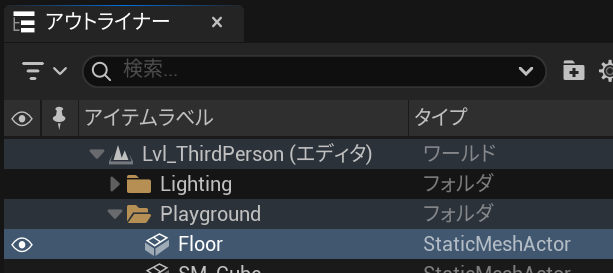
Begin Map
   Begin Level
      Begin Actor Class=/Script/Engine.StaticMeshActor Name=Floor_UAID_F4A475FF15A3736A02_1961940706 Archetype="/Script/Engine.StaticMeshActor'/Script/Engine.Default__StaticMeshActor'" ActorFolderPath="Playground" ExportPath="/Script/Engine.StaticMeshActor'/Game/ThirdPerson/Lvl_ThirdPerson.Lvl_ThirdPerson:PersistentLevel.Floor_UAID_F4A475FF15A3736A02_1961940706'"
         Begin Object Class=/Script/Engine.StaticMeshComponent Name="StaticMeshComponent0" Archetype="/Script/Engine.StaticMeshComponent'/Script/Engine.Default__StaticMeshActor:StaticMeshComponent0'" ExportPath="/Script/Engine.StaticMeshComponent'/Game/ThirdPerson/Lvl_ThirdPerson.Lvl_ThirdPerson:PersistentLevel.Floor_UAID_F4A475FF15A3736A02_1961940706.StaticMeshComponent0'"
         End Object
         Begin Object Name="StaticMeshComponent0" ExportPath="/Script/Engine.StaticMeshComponent'/Game/ThirdPerson/Lvl_ThirdPerson.Lvl_ThirdPerson:PersistentLevel.Floor_UAID_F4A475FF15A3736A02_1961940706.StaticMeshComponent0'"
            StaticMesh="/Script/Engine.StaticMesh'/Engine/MapTemplates/SM_Template_Map_Floor.SM_Template_Map_Floor'"
            bUseDefaultCollision=False
            StaticMeshDerivedDataKey="STATICMESH_34081786561B425A9523C94540EA599D_359a029847e84730ba516769d0f19427Simplygon_5_5_2156_18f808c3cf724e5a994f57de5c83cc4b_680318F3495BDBDEBE4C11B39CD497CE000000000100000001000000000000000000803F0000803F00000000000000000000344203030300000000"
            MaterialStreamingRelativeBoxes(0)=4294901760
            OverrideMaterials(0)="/Script/Engine.MaterialInstanceConstant'/Game/LevelPrototyping/Materials/MI_PrototypeGrid_Gray.MI_PrototypeGrid_Gray'"
            BodyInstance=(ObjectType=ECC_WorldDynamic,CollisionProfileName="BlockAllDynamic",MaxAngularVelocity=3599.999756,bAutoWeld=False)
            RelativeScale3D=(X=4.000000,Y=4.000000,Z=1.000000)
            Mobility=Movable
         End Object
         StaticMeshComponent="StaticMeshComponent0"
         RootComponent="StaticMeshComponent0"
         ActorLabel="Floor"
         bIsSpatiallyLoaded=False
      End Actor
   End Level
Begin Surface
End Surface
End Map
Blueprint ノード
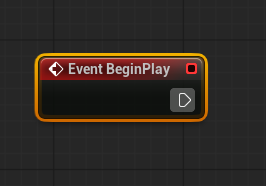
Begin Object Class=/Script/BlueprintGraph.K2Node_Event Name="K2Node_Event_0" ExportPath="/Script/BlueprintGraph.K2Node_Event'/Game/ThirdPerson/Blueprints/BP_ThirdPersonCharacter.BP_ThirdPersonCharacter:EventGraph.K2Node_Event_0'"
   EventReference=(MemberParent="/Script/CoreUObject.Class'/Script/Engine.Actor'",MemberName="ReceiveBeginPlay")
   bOverrideFunction=True
   NodePosX=-2832
   NodePosY=-1776
   NodeGuid=EF66B15146259AD7AC8C7AACC07C4926
   CustomProperties Pin (PinId=4E82E92A433FC49825A5CA8BC9359753,PinName="OutputDelegate",Direction="EGPD_Output",PinType.PinCategory="delegate",PinType.PinSubCategory="",PinType.PinSubCategoryObject=None,PinType.PinSubCategoryMemberReference=(MemberParent="/Script/CoreUObject.Class'/Script/Engine.Actor'",MemberName="ReceiveBeginPlay"),PinType.PinValueType=(),PinType.ContainerType=None,PinType.bIsReference=False,PinType.bIsConst=False,PinType.bIsWeakPointer=False,PinType.bIsUObjectWrapper=False,PinType.bSerializeAsSinglePrecisionFloat=False,PersistentGuid=00000000000000000000000000000000,bHidden=False,bNotConnectable=False,bDefaultValueIsReadOnly=False,bDefaultValueIsIgnored=False,bAdvancedView=False,bOrphanedPin=False,)
   CustomProperties Pin (PinId=5C96065041D955A7A4B658B75900514C,PinName="then",Direction="EGPD_Output",PinType.PinCategory="exec",PinType.PinSubCategory="",PinType.PinSubCategoryObject=None,PinType.PinSubCategoryMemberReference=(),PinType.PinValueType=(),PinType.ContainerType=None,PinType.bIsReference=False,PinType.bIsConst=False,PinType.bIsWeakPointer=False,PinType.bIsUObjectWrapper=False,PinType.bSerializeAsSinglePrecisionFloat=False,PersistentGuid=00000000000000000000000000000000,bHidden=False,bNotConnectable=False,bDefaultValueIsReadOnly=False,bDefaultValueIsIgnored=False,bAdvancedView=False,bOrphanedPin=False,)
End Object
uasset とは違う利点
Unreal Engine はほとんどのものが uasset 形式で保存されますが (レベルは umap) 、uasset はバイナリであるため例えば GitHub で共有していても、それだけをコピーして貼り付けるということはできません。
一方で、テキストであればコピペが簡単です。
Unreal Engine のこのテキストフォーマットは T3D 形式と呼ばれています。以前は .t3d というファイル拡張子も使われていたようですが、現在の Unreal Engine ではあまりお目にかかれません。
blueprintUE で共有する
T3D 形式は便利ですが、 uasset で保存されるため、それと一緒に T3D のファイルも GitHub に保存したり、自分のブログに T3D を貼るのは見た目から何をやっているノードなのか分かりにくいです。
blueprintUE は T3D で共有することもできてかつ、それを Unreal Editor のようにノードとして見せてくれるサービスです。
使い方
トップページですでに共有するためのフォームが表示されます。
以下は先程の Begin Play の T3D 形式のテキストをそのまま貼り付けています。
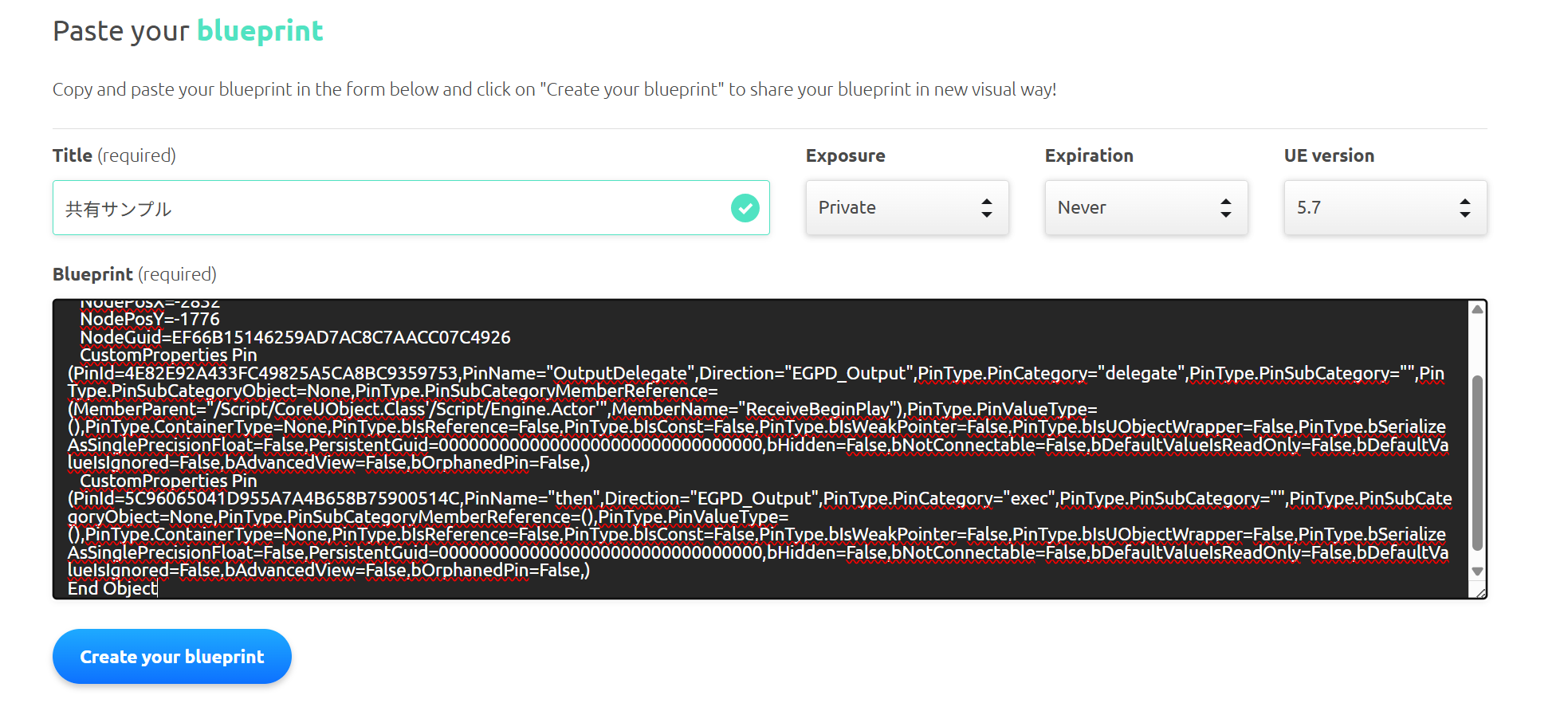
Create your blueprint ボタンを押すとすぐに専用のページが作成されます。
すると、以下のように Begin Play が Unreal Editor で表示されているようなノード形式で表示されます。
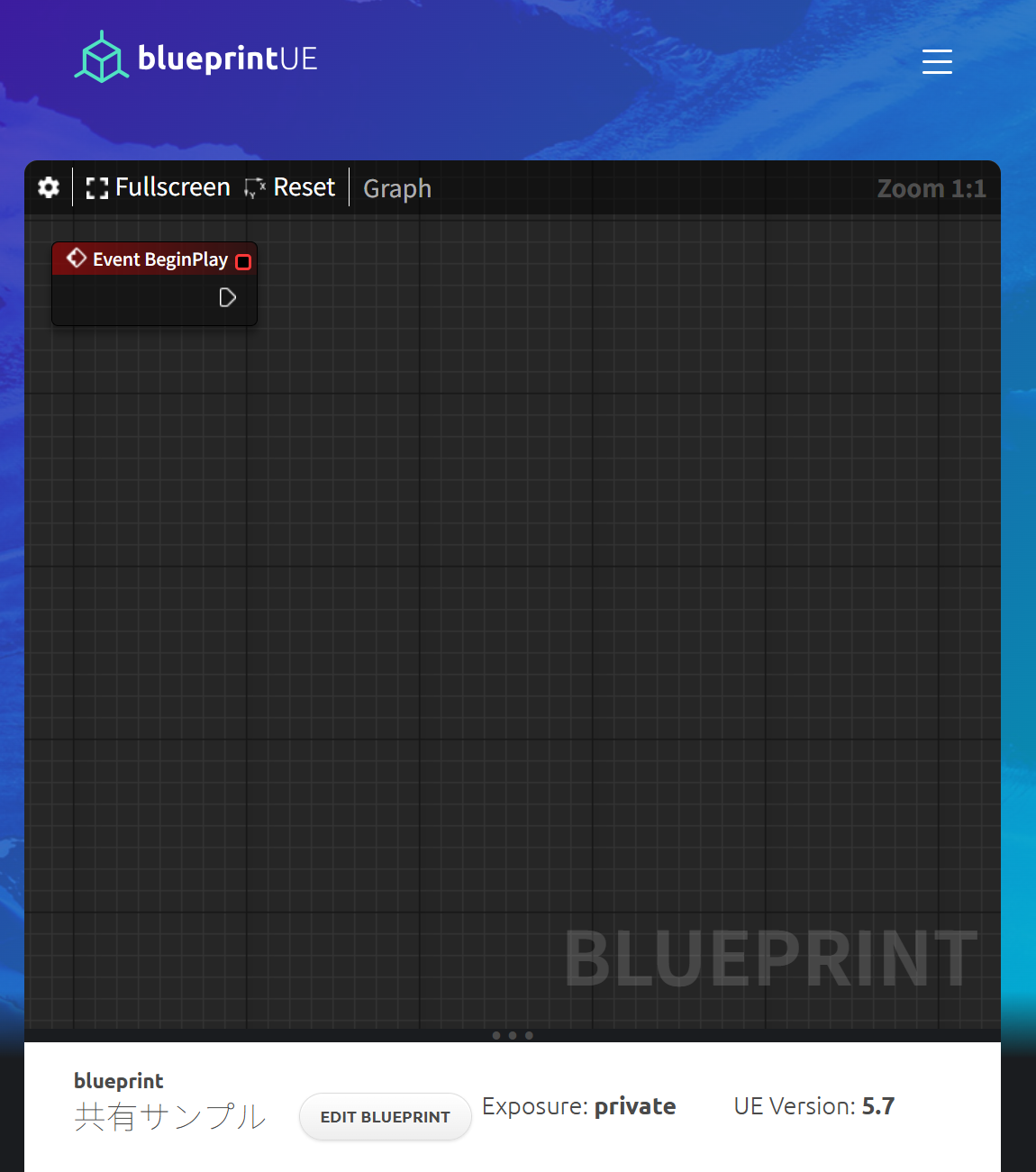
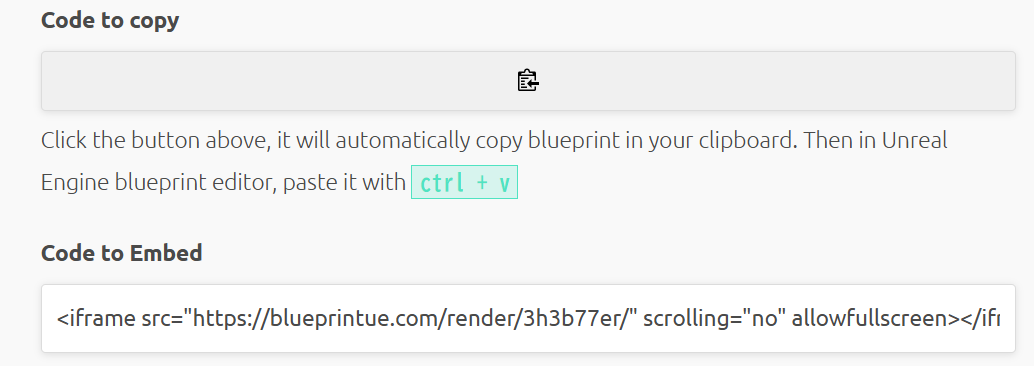
T3D を再度コピーしたい場合は、もちろんノードを直接選択してコピーできますし、ページ中段にある Code to copy のボタンを押せば全体がコピーできます。
また、 Code to Embed の iframe を使えば、Wiki やブログにこのノード表示をそのまま表示可能です。
以下のように width や height を調整すれば、ブログ等に合わせた表示も簡単にできます。
<iframe src="https://blueprintue.com/render/3h3b77er/" scrolling="no" allowfullscreen width="100%" height="200px"></iframe>
このサンプルは Private にしているため表示できませんが destruction-sample-with-first-person のページでは実際に埋め込みを利用しています。