1. Add a grabbable remote control
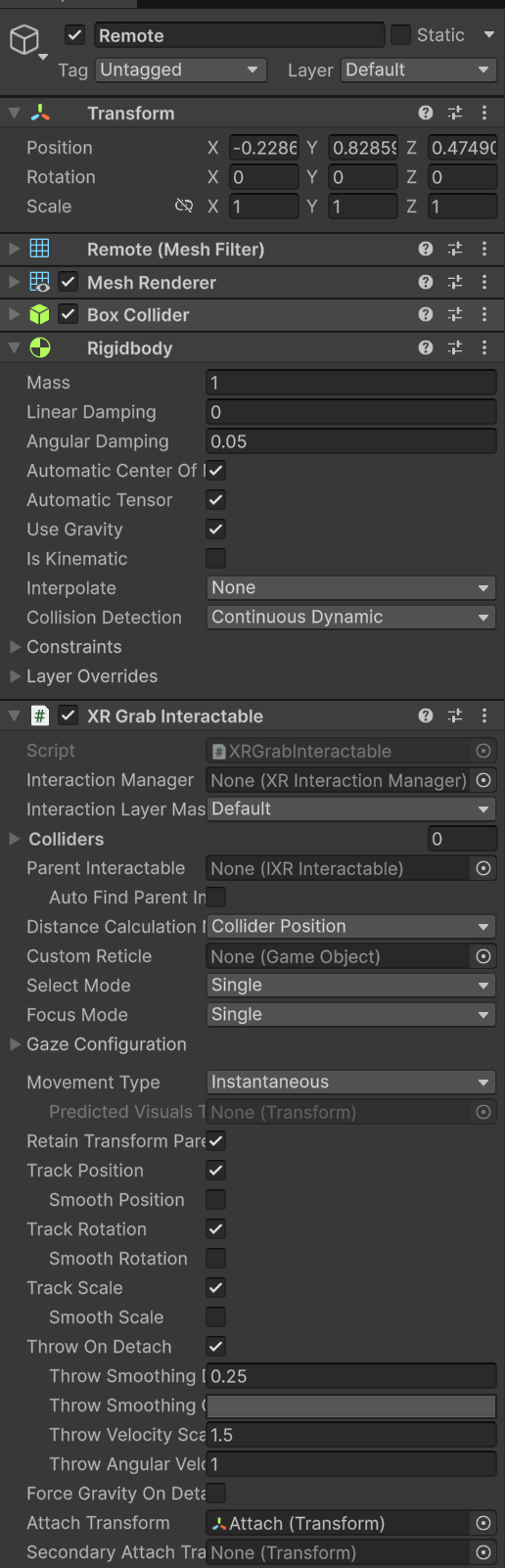
Remote (日本語だとリモコン)を配置し
Regidbody をアタッチ
Collision Detection を Continuous Dynamic に
XR Grab Interactable をアタッチ
- Remote に
Attach Transform 用の GameObject を子供として追加し、セット
- とりあえず、リモコンの赤外線が出る方向が合うようにすればいい
2. Play a sound when the remote is activated
- 引き続き
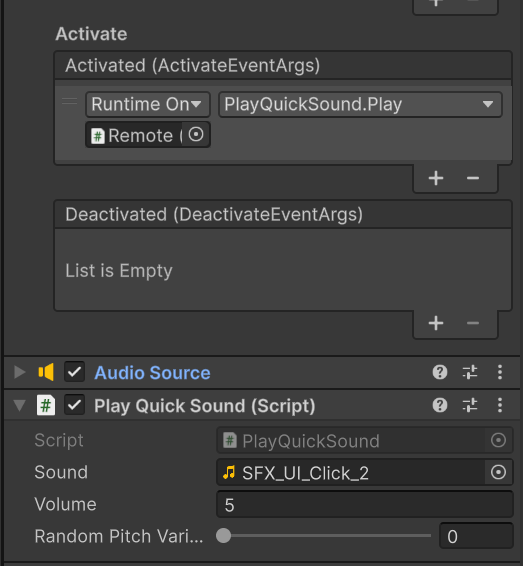
Remote 、ここでは Remote の Activate イベント時に音を鳴らす
Remote に Audio Source をアタッチ
Spatial Blend のみ 1 に変更Play On Awake は、次の Play Quick Sound スクリプトが Off にする
Play Quick Sound スクリプトをアタッチ
- これは
_Course Library に入っているもの
- ランダムに pitch を変更する機能を無視すれば、単に
PlayOneShot しているだけ
3. Flash a red light when the remote is activated
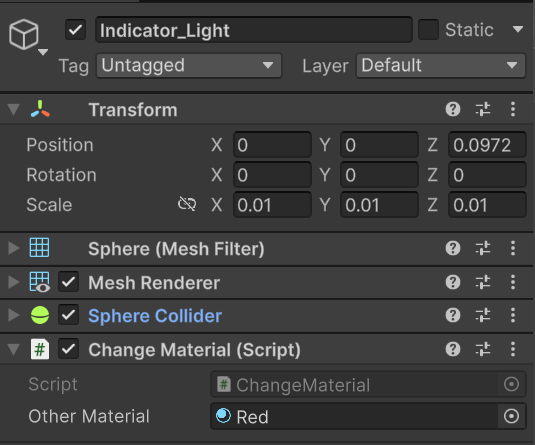
- Remote の子オブジェクトである
Indicator_Light (リモコンの赤外線ライト) に Change Material スクリプトをアタッチ
Other Material を Red にセット
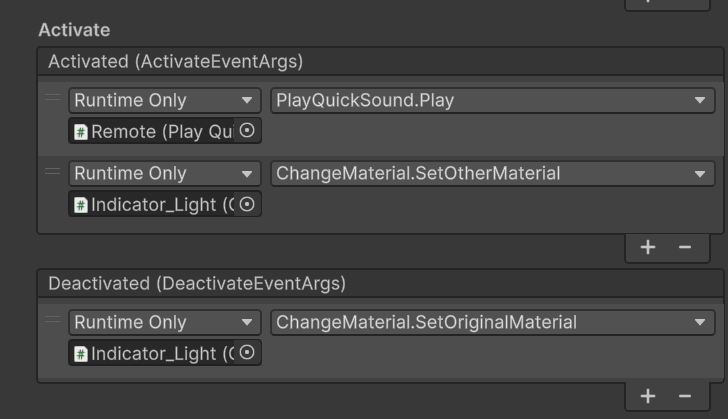
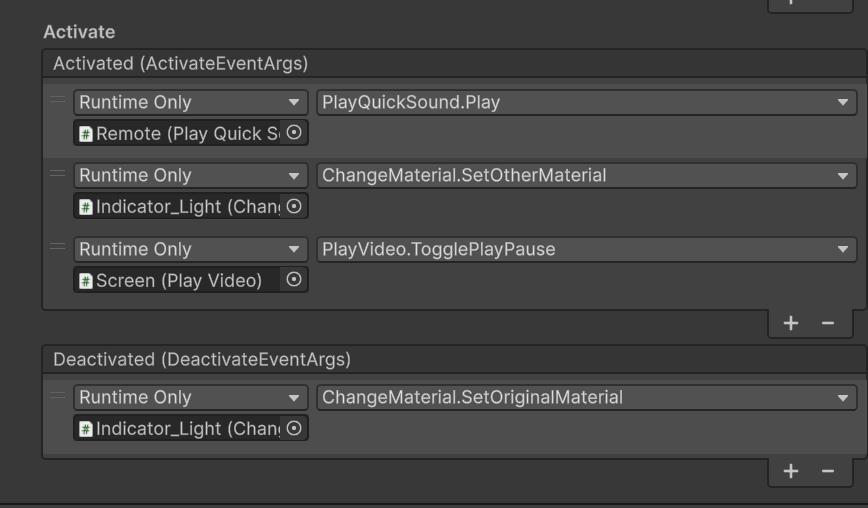
Remote の方の Activate イベントに Indicator_Light のマテリアル変更関数をセット
- こちらは解除時にマテリアルを戻すので
Deactivated の方にもマテリアルを戻す関数をセットしている
| Indicator_Light | Remote |
|---|
 |  |
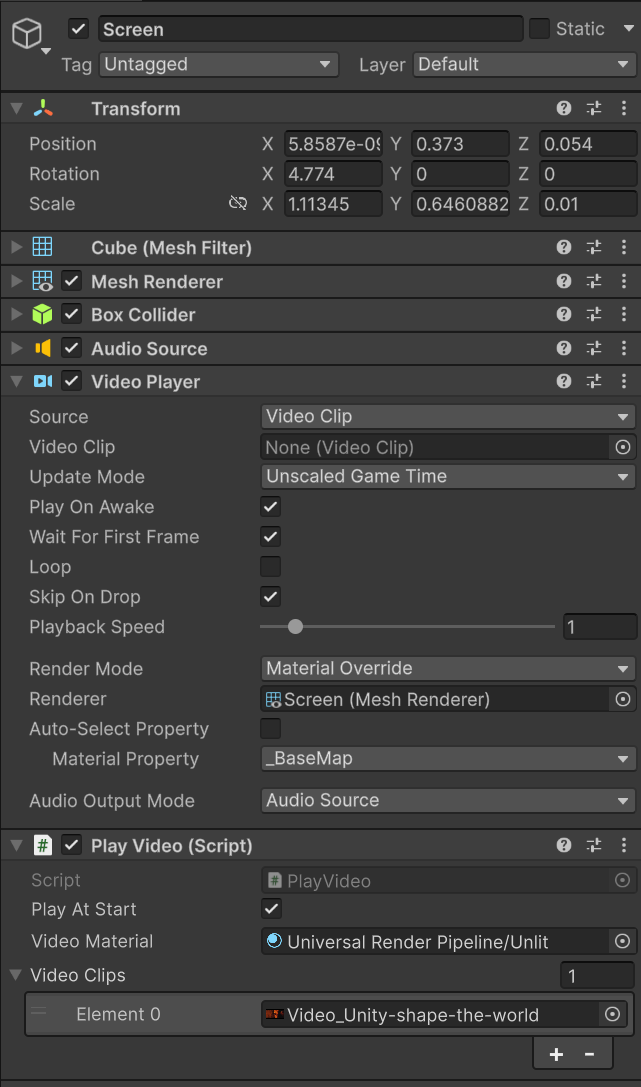
4. Allow the TV to play video
- TV の Prefab の
Screen オブジェクトに対しての操作
Audio Source をアタッチ
Video Player をアタッチ
Auto-Select Property が Disable になっていることを確認
Play Video スクリプトをアタッチ
Play At Start を有効化Video Clips にビデオを一つセット
5. Control the TV with the remote
Screen の Play At Start を無効化
Remote の XR Grab Interactable の Activate イベントに Screen の PlayVideo.ToggolePlayPause をセット
TogglePlayStop でも可- これで、テレビの停止・再開ができる
7. Extension Activities